
Q.Can I hide the text on the item description page that shows whether purchases are tax inclusive or exclusive?
Views: 2,714
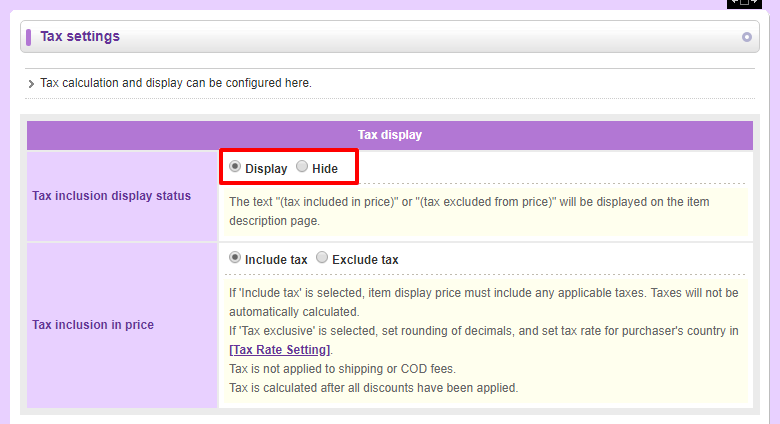
You can. To hide this text, navigate in your Shop Manager to Operations → Tax settings. In the Tax inclusion display status field, select Hide and click  (Save).
Last update: 19 Mar 2018 09:56